# Image
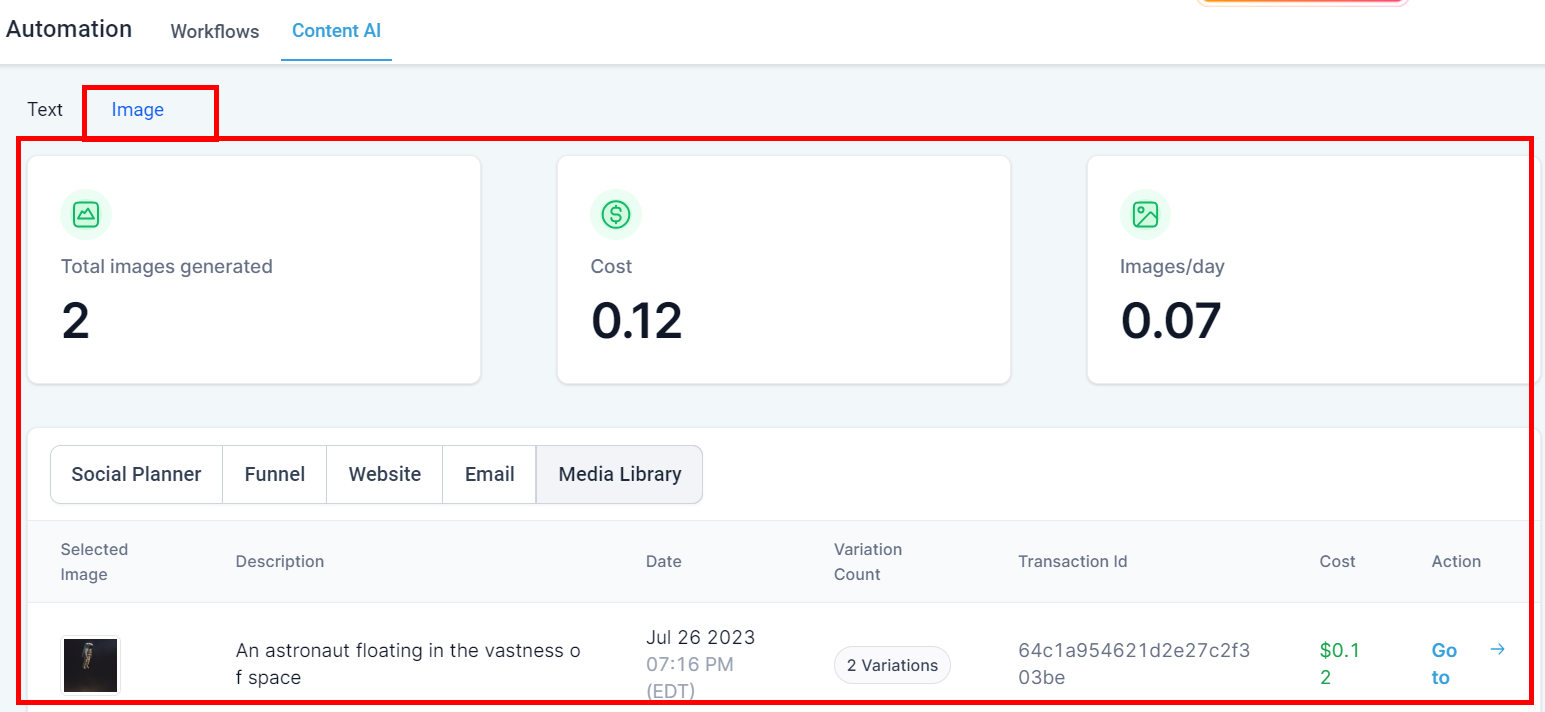
This section assists you in managing all your AI-generated images. It enables you to review the produced content along with its variations. This feature is instrumental for businesses in monitoring their content production and maintaining uniformity across their brand posts.
Content AI overview
### AI Overview
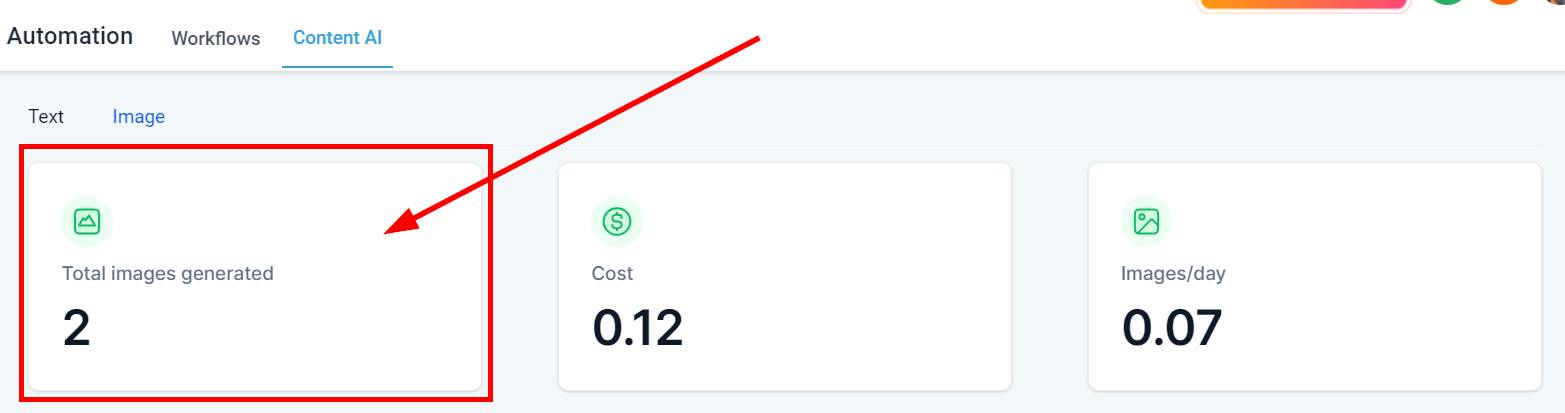
#### Total Images Generated
Here you will be able to see the total number of images generated by Content AI within your CRM system across all sections.
Total words generated by all AI content
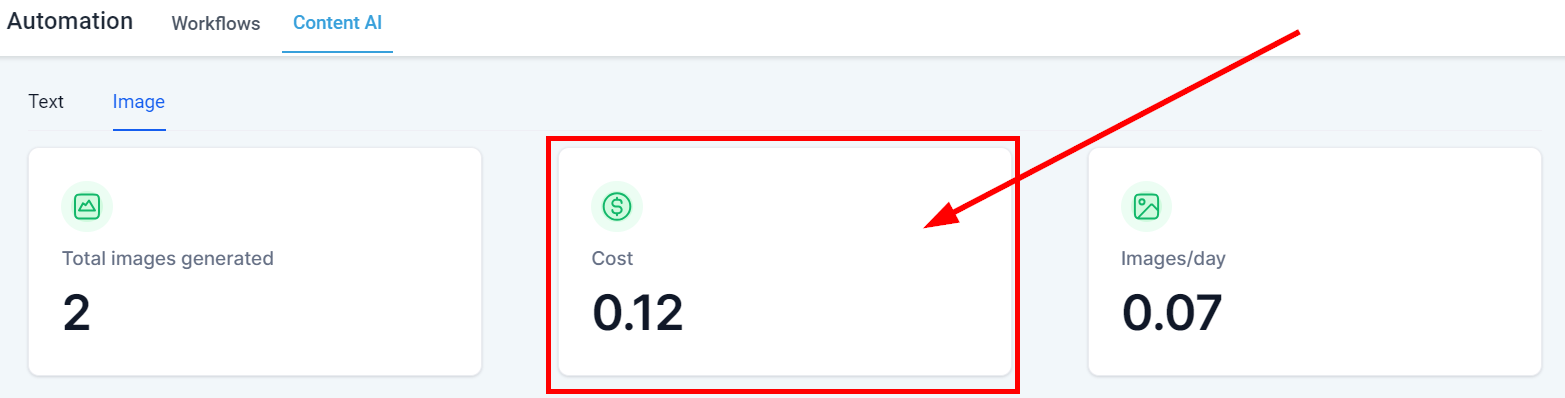
#### Cost
Here you will see the total cost for all Content AI generated images throughout your CRM.
AI content variation
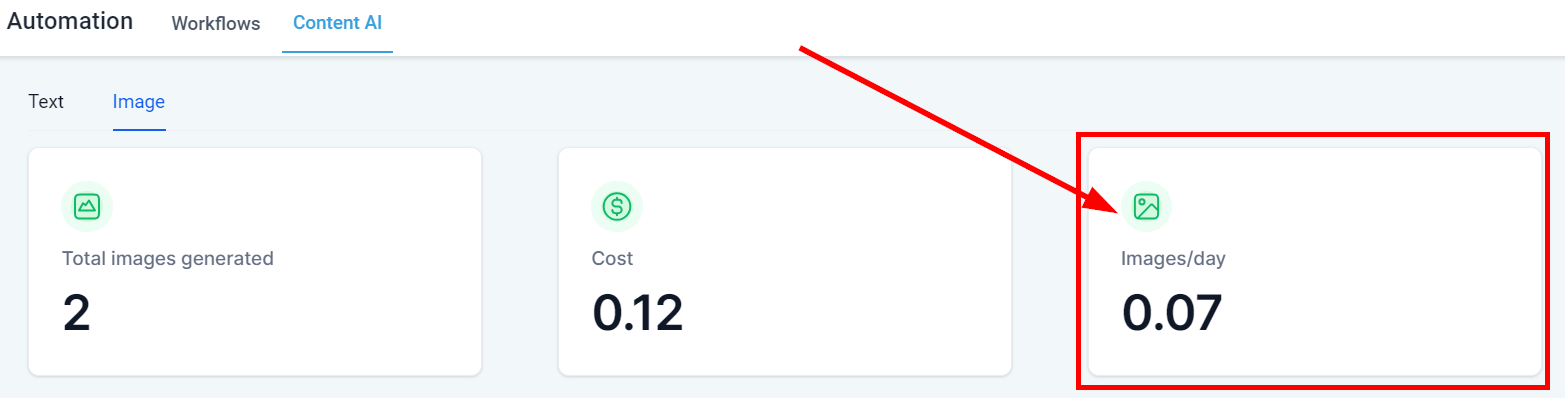
#### Images/day
Here you will see the average number of images created per day using Content AI in your CRM.
Words generated per day
### AI Table
Once an image is generated in your CRM, it will be registered on the Image details page. These are sections in which you can generate AI Images for;
* **Social Planner**
* **Blog**
* **Funnel**
* **Website**
* **Media Library**
Assessing previous logs of generated content can also save time for businesses, as they can reuse content that has already been generated and make necessary tweaks or adjustments as needed.
1. **Selected Image** This column shows the selected image created by Content AI.
2. **Description** You can see the description of the image generated here.
3. **Date** This shows the date and time this Image was created.
4. **Variation Count** This shows the number of variations created in Content AI.
5. **Transaction ID** This shows the transaction ID of each image generated by Content AI.
6. **Cost** This column shows the cost for each Content AI image generated.
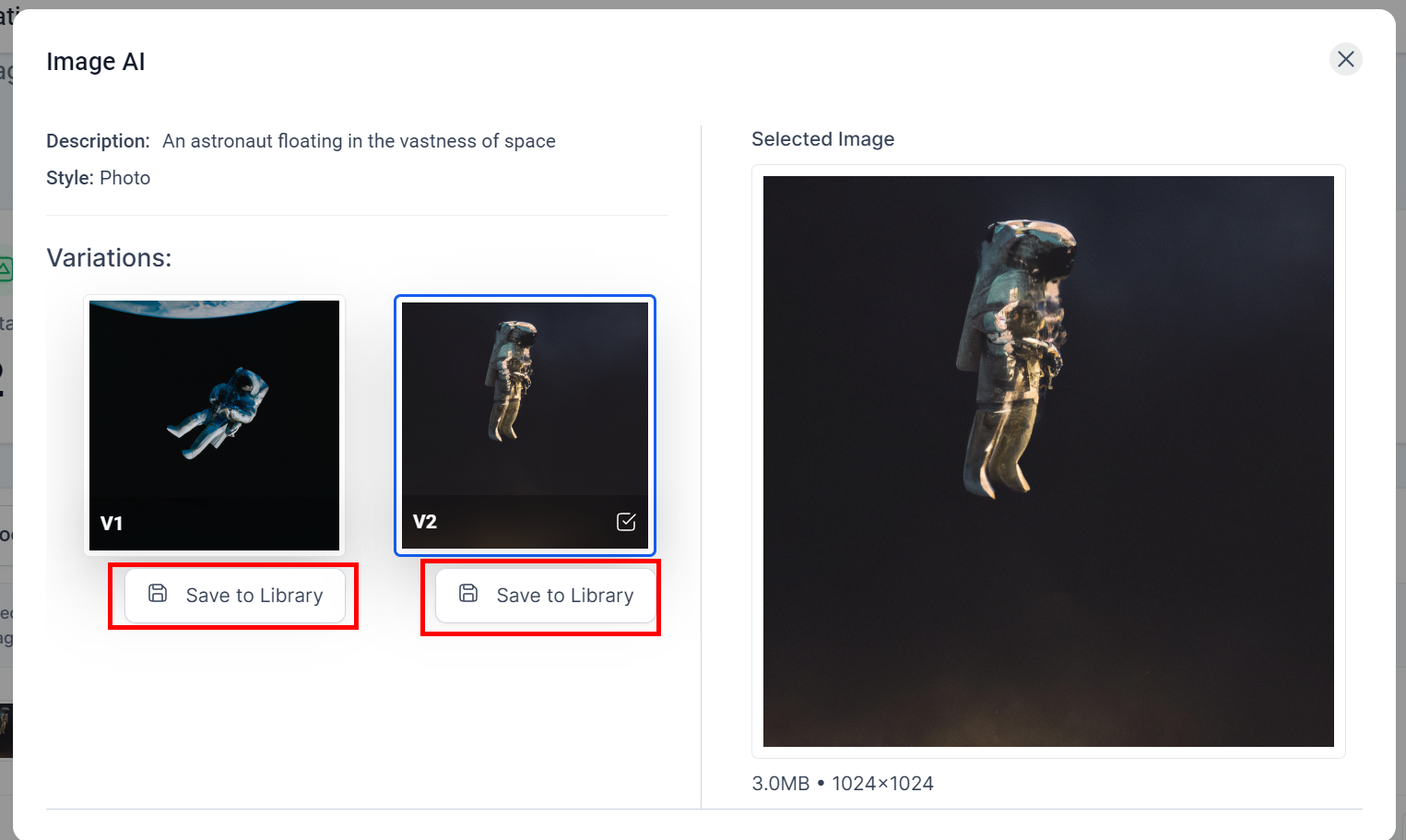
7. **Action Menu** You can save any variations you generate to your media library if you will like to reuse them in the future by clicking on the "Go To" option, which directs you to the image page. You will see the "Save to Library" button in front of each image variation; click on it to Save it!